Google Business Profile Photos for Dental Practices: The Shot List
By Blake Hickey, founder of Double Jaw Marketing. For practice owners and office managers. Updated October 17, 2026.
If a new patient looks you up on Google Maps before they call, the photos on your Google Business Profile are the first look they get at your building, your front desk and your team.
Google tells businesses exactly what it wants in its tips for business-specific photos. Below, I've turned that into a shot list for a dental, orthodontic or oral surgery office that your team can work through in one morning.
What Google asks for
Google's guidance covers several photo types. Some, like rooms and common areas, are written for hotels. These four fit a dental office, and Google suggests at least three of each:
| Type | Google's minimum | What Google says | In a dental office |
|---|---|---|---|
| Exterior | 3 | “Capture a photo from each direction that customers might approach your business.” | The building and sign from the street, the parking lot and the entrance |
| Interior | 3 | “Truthfully show what it's like to stand inside your business as a customer.” | Front desk, waiting area, a treatment room |
| At work | 3 | Show your team providing different types of service, and your specialty services. | Staged shots of the team at work, with no real patients |
| Team | 3 | Show something less formal, and include yourself and staff. | The doctor, the full team, the front desk lead |
Your logo and cover photo round it out. Google's photo and video help page says the cover photo should best represent the business.
Google suggests at least three photos of each type that fits your business. For a dental office, that's exterior, interior, at work and team, plus your logo and cover.
Source: Google Business Profile Help, Tips for business-specific photos. Checked October 17, 2026.
The 14-shot list
This is the list I'd hand your office manager. The codes match the photo plan above, so you can check each one off as it's done.
| Shot | What to capture | Where to stand and when |
|---|---|---|
| E1 | The building with your sign readable | Across the street or the main road, morning light |
| E2 | The entrance, with suite number and door visible | Where a patient walks up from parking |
| E3 | The building from a second approach | The other road or the far end of the lot. Google also suggests different times of day, so try dusk with the lights on |
| I1 | The front desk as a patient sees it walking in | Just inside the door, at standing eye level |
| I2 | The waiting area | From a corner, wide, lights on, magazines straightened |
| I3 | A treatment room, chair set up, counters clear | From the doorway, the patient's first view of the room |
| W1 | An assistant setting up a tray | Close and from the side, hands and instruments in focus |
| W2 | The doctor reviewing a scan or X-ray with the team | Over the shoulder, with a sample image or a blank screen |
| W3 | Your equipment in use, such as a scanner or imaging unit, if you have it | A team member stands in as the patient |
| T1 | The doctor, natural, in the office | In the consult room or by a window, not against a blank wall |
| T2 | The full team together | In the waiting area or out front by the sign |
| T3 | The front desk lead at the desk | Candid, mid-conversation, phone in view |
| Logo | Your logo file | A square, high-resolution version from your designer |
| Cover | The one photo that says who you are | Usually T2 or E1. Pick the one a new patient would recognize when they arrive |
Google's file specs
From Google's help page on photos and videos:
- Format: JPG or PNG.
- File size: between 10 KB and 5 MB.
- Resolution: 720 by 720 pixels recommended, 250 by 250 minimum.
- Quality: in focus and well lit, with no significant alterations or excessive filters. Google's tips page adds no AI, so the photo represents reality.
- Video: up to 30 seconds, up to 75 MB, 720p or higher.
- Review: photos that break Google's content policy are marked “Not approved” and hidden from Search and Maps. Your business also has to be verified for photos to show.
If you want a 30-second video for your profile too, my guide to the first five videos to film has the shot lists.
What to keep out of the frame
- Patients, unless they've signed a HIPAA authorization for marketing use under 45 CFR 164.508(a)(3). The HHS marketing guidance explains the rule. For at-work shots, a team member can sit in the chair.
- Anything with patient information: the schedule on the front desk screen, charts, X-rays on the monitor, names on a whiteboard, mail on the counter.
- Stock photos. Google asks for photos that represent reality, and a stock smile isn't your office.
- Text-heavy graphics and promo banners. Let the photo show the place. Put offers and details in your posts, where you can word them carefully.
Florida rules. I treat a Google profile as dental advertising. Fla. Stat. 466.019 defines an advertisement as a representation disseminated in any manner or by any means to solicit patients. It doesn't mention photos or testimonials by name, but it bars anything misleading and anything that creates unjustified expectations of favorable results, and Rule 64B5-4.002 does too. That's the test a before-and-after photo has to pass, and it needs the patient's signed authorization as well. If you put a patient's review quote on an image, quote it word for word; the FTC Endorsement Guides require endorsements to reflect the honest opinion of the person giving them. Check any of these with your counsel; I'm not a lawyer.
A one-morning photo plan
- Before the office opens: exteriors E1 to E3 while the lot is empty and the light is soft.
- Next 30 minutes: interiors I1 to I3, lights on, counters cleared, screens off.
- Before the first patient: team photos T1 to T3, and the at-work shots W1 to W3 with a team member in the chair.
- That afternoon: pick the cover, export to Google's specs and upload. Add a dusk exterior on another day if you want one.
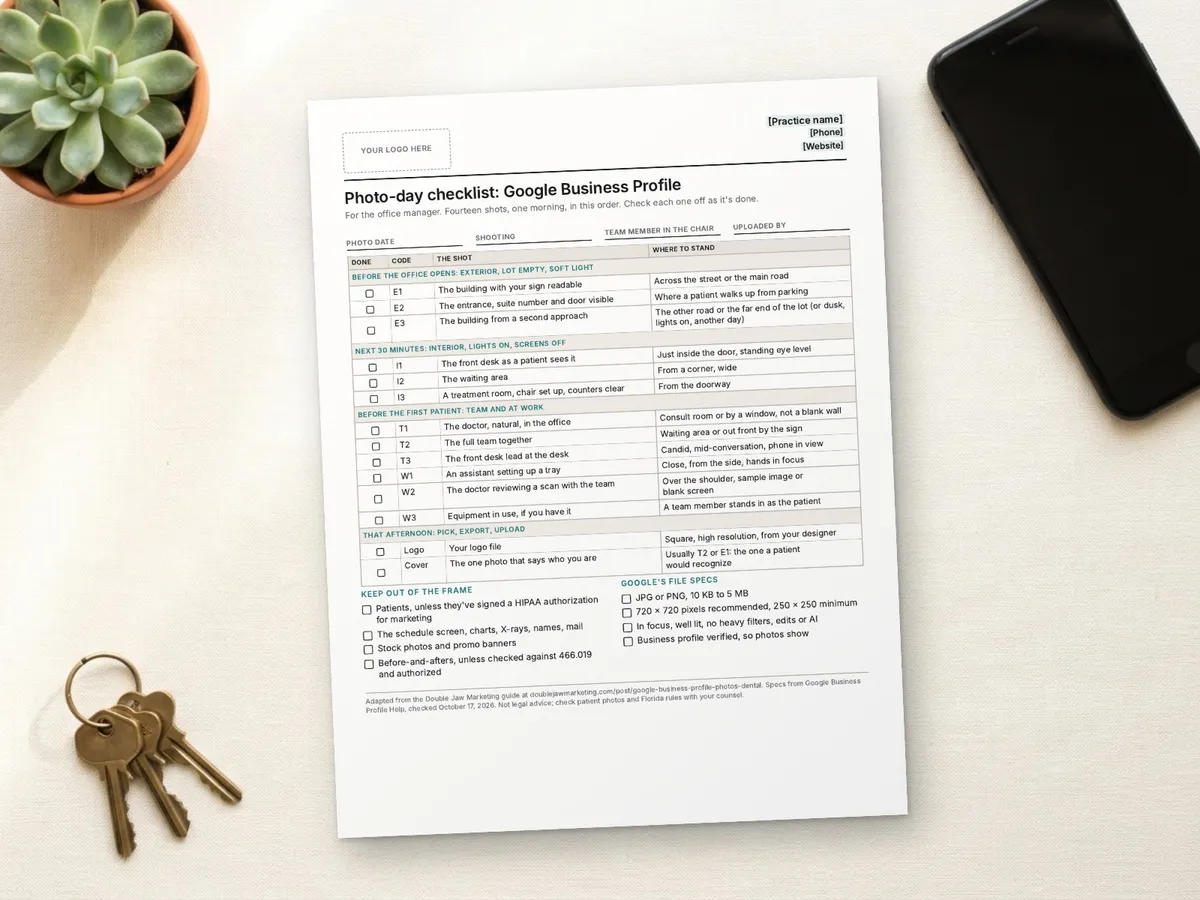
Photo-day checklist: Google Business Profile
All fourteen shots on one page, in shooting order, with where to stand, what to keep out of frame and Google's file specs. Put your logo in the box, print it, or copy the text and make it your own.
Print it, or choose Save as PDF in the print window.
Paste the text into Word, Google Docs or your AI tool and make it your own. To print, press Ctrl+P (Cmd+P on a Mac). Only the sheet prints, on US Letter paper.
Email me the full PDF
The polished, multi-page version, ready to brand with your logo. It's free, and we send it by email.
We'll email you the PDF and one follow-up. Unsubscribe anytime. Privacy policy
Photo-day checklist: Google Business Profile
For the office manager. Fourteen shots, one morning, in this order. Check each one off as it's done.
| Done | Code | The shot | Where to stand |
|---|---|---|---|
| Before the office opens: exterior, lot empty, soft light | |||
| E1 | The building with your sign readable | Across the street or the main road | |
| E2 | The entrance, suite number and door visible | Where a patient walks up from parking | |
| E3 | The building from a second approach | The other road or the far end of the lot (or dusk, lights on, another day) | |
| Next 30 minutes: interior, lights on, screens off | |||
| I1 | The front desk as a patient sees it | Just inside the door, standing eye level | |
| I2 | The waiting area | From a corner, wide | |
| I3 | A treatment room, chair set up, counters clear | From the doorway | |
| Before the first patient: team and at work | |||
| T1 | The doctor, natural, in the office | Consult room or by a window, not a blank wall | |
| T2 | The full team together | Waiting area or out front by the sign | |
| T3 | The front desk lead at the desk | Candid, mid-conversation, phone in view | |
| W1 | An assistant setting up a tray | Close, from the side, hands in focus | |
| W2 | The doctor reviewing a scan with the team | Over the shoulder, sample image or blank screen | |
| W3 | Equipment in use, if you have it | A team member stands in as the patient | |
| That afternoon: pick, export, upload | |||
| Logo | Your logo file | Square, high resolution, from your designer | |
| Cover | The one photo that says who you are | Usually T2 or E1: the one a patient would recognize | |
Keep out of the frame
- Patients, unless they've signed a HIPAA authorization for marketing
- The schedule screen, charts, X-rays, names, mail
- Stock photos and promo banners
- Before-and-afters, unless checked against 466.019 and authorized
Google's file specs
- JPG or PNG, 10 KB to 5 MB
- 720 x 720 pixels recommended, 250 x 250 minimum
- In focus, well lit, no heavy filters, edits or AI
- Business profile verified, so photos show
Adapted from the Double Jaw Marketing guide at doublejawmarketing.com/post/google-business-profile-photos-dental. Specs from Google Business Profile Help, checked October 17, 2026. Not legal advice; check patient photos and Florida rules with your counsel.
See the text version
[Your logo here]
**[Practice name]** | [Phone] | [Website]

# Photo-day checklist: Google Business Profile

For the office manager. Fourteen shots, one morning, in this order. Check each one off as it's done.

Photo date: ______________________
Shooting: ______________________
Team member in the chair: ______________________
Uploaded by: ______________________

| Done | Code | The shot | Where to stand |
|---|---|---|---|
| **Before the office opens: exterior, lot empty, soft light** | | | |
| [ ] | E1 | The building with your sign readable | Across the street or the main road |
| [ ] | E2 | The entrance, suite number and door visible | Where a patient walks up from parking |
| [ ] | E3 | The building from a second approach | The other road or the far end of the lot (or dusk, lights on, another day) |
| **Next 30 minutes: interior, lights on, screens off** | | | |
| [ ] | I1 | The front desk as a patient sees it | Just inside the door, standing eye level |
| [ ] | I2 | The waiting area | From a corner, wide |
| [ ] | I3 | A treatment room, chair set up, counters clear | From the doorway |
| **Before the first patient: team and at work** | | | |
| [ ] | T1 | The doctor, natural, in the office | Consult room or by a window, not a blank wall |
| [ ] | T2 | The full team together | Waiting area or out front by the sign |
| [ ] | T3 | The front desk lead at the desk | Candid, mid-conversation, phone in view |
| [ ] | W1 | An assistant setting up a tray | Close, from the side, hands in focus |
| [ ] | W2 | The doctor reviewing a scan with the team | Over the shoulder, sample image or blank screen |
| [ ] | W3 | Equipment in use, if you have it | A team member stands in as the patient |
| **That afternoon: pick, export, upload** | | | |
| [ ] | Logo | Your logo file | Square, high resolution, from your designer |
| [ ] | Cover | The one photo that says who you are | Usually T2 or E1: the one a patient would recognize |

## Keep out of the frame

- [ ] Patients, unless they've signed a HIPAA authorization for marketing
- [ ] The schedule screen, charts, X-rays, names, mail
- [ ] Stock photos and promo banners
- [ ] Before-and-afters, unless checked against 466.019 and authorized

## Google's file specs

- [ ] JPG or PNG, 10 KB to 5 MB
- [ ] 720 x 720 pixels recommended, 250 x 250 minimum
- [ ] In focus, well lit, no heavy filters, edits or AI
- [ ] Business profile verified, so photos show

---
Adapted from the Double Jaw Marketing guide at doublejawmarketing.com/post/google-business-profile-photos-dental. Specs from Google Business Profile Help, checked October 17, 2026. Not legal advice; check patient photos and Florida rules with your counsel.
Prints on one US Letter page. Specs from Google Business Profile Help, checked October 17, 2026. Not legal advice.
I'll plan and shoot your Google profile photos
If your team is too busy for a photo morning, this is work I do myself:
- Walk the office with you and plan the 14 shots around your building and team
- Photograph the exterior, interior, team and at-work shots on a Sony camera
- Edit and export every file to Google's specs, named and ready to upload
- Check what's in frame for patient information before anything goes live
Start with a Method Review: a free 15-minute call with Blake by phone or Zoom. You get a written Method Plan with the first fixes in order, yours to keep whether we work together or not.
Marketing help only. Not legal or medical advice. No results are guaranteed.
Common questions
How many photos should a dental office have on its Google Business Profile?
Google suggests at least three photos of each type that fits your business. For a dental office that's three exterior, three interior, three at work and three team photos, plus a logo and a cover photo: 14 to start.
Can we use stock photos on our Google Business Profile?
Google asks for photos that represent reality, without significant alterations, excessive filters or AI. Photos of your own office, doctor and team do that. Stock photos of other people's offices don't.
Can patients appear in our Google Business Profile photos?
Only with a signed HIPAA authorization for marketing use, under 45 CFR 164.508(a)(3). For at-work photos, stage the shot with a team member in the chair instead.
What size should Google Business Profile photos be?
Google asks for JPG or PNG files between 10 KB and 5 MB, recommends 720 by 720 pixels and sets a minimum of 250 by 250. Videos can be up to 30 seconds, 75 MB and 720p or higher.
Can we post before-and-after photos on our Google profile?
Be careful. Florida's 466.019 bars dental ads that create unjustified expectations of favorable results, and the Board of Dentistry's Rule 64B5-4.002 says the same. A before-and-after also needs the patient's signed HIPAA authorization. Check with your counsel first.
Sources
Checked October 17, 2026. Rules and platform limits change, so check the source before you rely on it.
- Google Business Profile Help: Tips for business-specific photos
- Google Business Profile Help: Add or remove photos and videos
- HHS: HIPAA Privacy Rule guidance on marketing (authorization, 45 CFR 164.508(a)(3))
- FTC: Endorsement Guides, What People Are Asking (16 CFR Part 255)
- Florida Statutes 466.019, Advertising by dentists
- Florida Administrative Code Rule 64B5-4.002, Prohibited advertising